The short version
- Top linked pages: your pages with the most links from other sites.
- Top linking sites: the root domains that link to you most.
- Top linking text: the anchor text that shows up most often in links to you. Links without text appear as "(empty)".
On this page
- How to find backlinks in Google Search Console, step by step
- What the Links report doesn't show
- Google Search Console backlinks vs Ahrefs and Semrush
- How to see backlinks in Google Analytics
- Make the export useful
- How to check for toxic backlinks in Search Console
- Why your backlinks aren't showing in Search Console
- FAQ
- Find links worth adding to that report
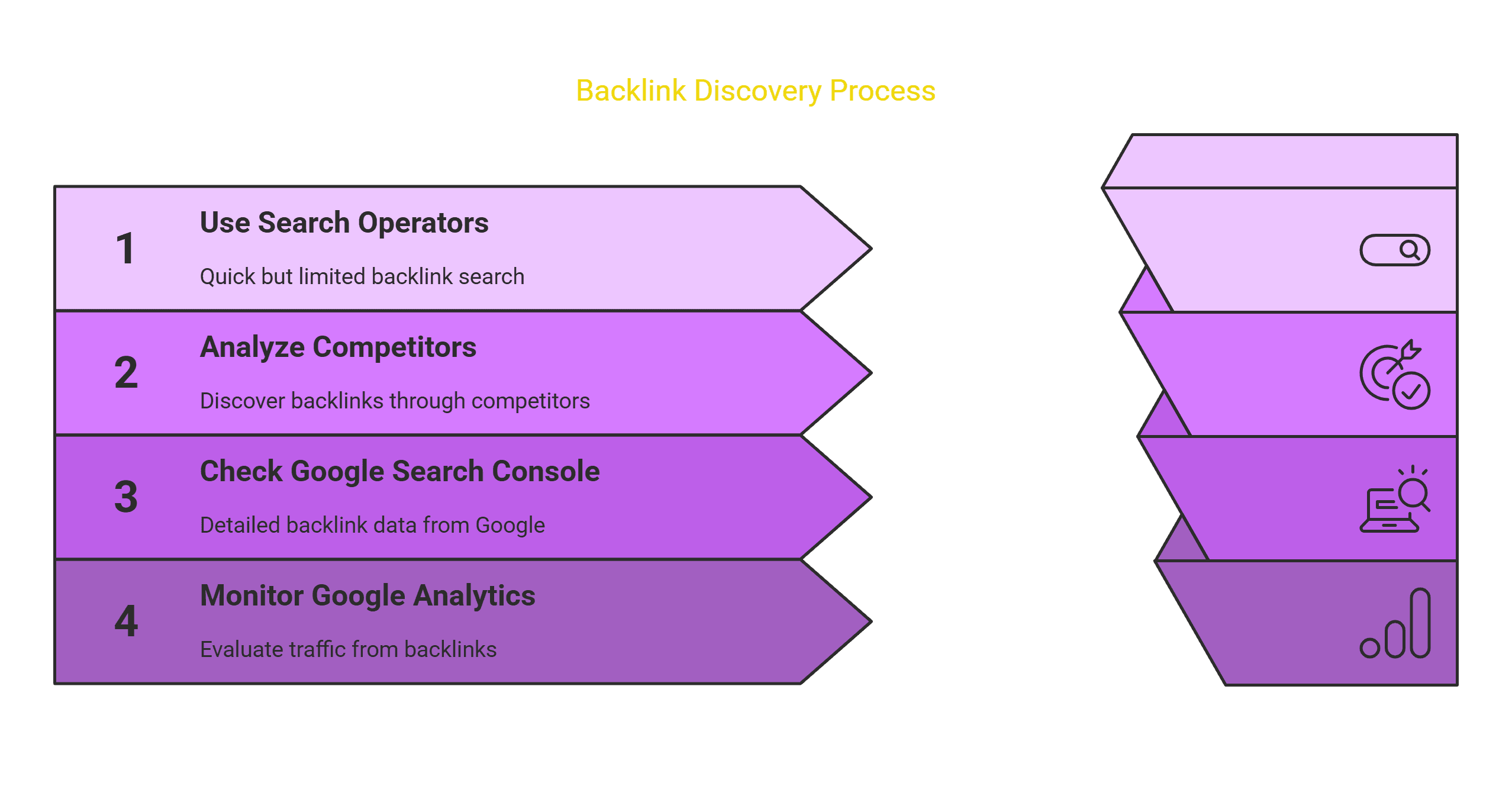
Google Search Console is the official, free place to find backlinks in Google's own data. Open your property, click Links in the left menu, and read the External links tables. It usually shows fewer links than Ahrefs or Semrush, because it reports a sample of the links Google has recorded rather than every link on the web. Treat it as the ground truth for what Google sees, and use a third-party tool for completeness and for looking at competitors.
That answers a question on r/SEO, is Google Search Console the "official" place to check backlinks, from someone who saw far fewer links in Search Console than in Ahrefs or Semrush and wondered which to trust. Both numbers are real. The tools measure different things.
How to find backlinks in Google Search Console, step by step
-
Sign in and pick your property. Open Search Console and choose your site. If you have the option, use a Domain property, since it covers every subdomain plus both http and https.
-
Open the Links report. Click Links in the left-hand menu.
-
Read the External links section. It holds three tables:
- Top linked pages: your pages with the most links from other sites.
- Top linking sites: the root domains that link to you most.
- Top linking text: the anchor text that shows up most often in links to you. Links without text appear as "(empty)".
-
Expand a table. Click More under any table to see the full list, which shows up to 1,000 rows on screen.
-
Drill into a row. Click a page in Top linked pages to see the sites linking to it. Click a site in Top linking sites to see which of your pages it links to.
-
Export the full list. Click Export external links at the top right of the report and pick one:
- Latest links: up to 100,000 of the most recently discovered links, sorted by the date Google found them.
- More sample links: up to 100,000 links sampled from everything Google knows about.
Download it as a spreadsheet or open it in Google Sheets.
Google covers all of this on its Links report help page. The same report also has an Internal links table showing how your own pages link to each other.
What the Links report doesn't show
Search Console is useful, but it is not a complete backlink checker. Google's own help page lists the limits:
- The report is a sample. It doesn't list every link, and it may leave out links on pages that aren't indexed.
- It may include old links. Some links Google found over time may have been removed since.
- It doesn't mark nofollow, so you can't tell from the report whether a link is dofollow or nofollow. Our guide to the types of backlinks shows how to check a link by hand.
- It only covers sites you own. You can't look up a competitor's links.
- Tables on screen stop at 1,000 rows. The exports go to 100,000.
- There's no authority score. You see which domains link to you, but not how strong they are.
A reply in that thread put the competitor point plainly:
"the GSC only allows you to check your own domains and not domains of competitors." (u/danieluxseo, r/SEO)
The same commenter, who said they work at a link-analysis company, also argued that Search Console gives you "1:1 what the Google algorithm sees". We'd soften that. It shows a sample of what Google has recorded. That's the closest public view of Google's data, but it isn't the whole picture.
Google Search Console backlinks vs Ahrefs and Semrush
| Google Search Console | Ahrefs, Semrush and similar | |
|---|---|---|
| Whose data | Google's own records | The tool's own crawler |
| Completeness | A sample | Larger index, still not every link |
| Competitors | No, only sites you own | Yes |
| Dofollow or nofollow | Not shown | Shown |
| Authority score | None | DR, Authority Score and similar |
| Price | Free | Free plans for your own site, paid beyond that |
Search Console tells you whether Google has recorded a link. A third-party tool shows you link types, link strength, new and lost links over time, and what competitors have. If a link appears in Ahrefs but still hasn't shown up in Search Console after several weeks, the linking page may not be indexed. You can check that with our free backlink index checker.
How to see backlinks in Google Analytics
Google Analytics doesn't list backlinks. It shows referral traffic: visits from people who clicked a link on another site. In GA4, go to Reports > Acquisition > Traffic acquisition, set the primary dimension to Session source / medium, and look for rows ending in / referral.
That tells you which links send people, which is a different question and still a useful one. A link can help rankings without sending a single click, and a nofollow link from a busy page can send plenty of visitors while passing little ranking signal.
Make the export useful
The raw export is a long list of URLs. A few quick passes turn it into something you can act on:
- Score the linking domains. Paste up to 100 domains from Top linking sites into our free bulk domain authority checker to see the DR of each. For a single domain, use the DR checker.
- Check your anchors. Top linking text shows how people describe you, and our anchor text checker sorts those anchors into branded, exact-match, generic and naked-URL, with healthy ranges for each.
- Find the links competitors have and you don't. Search Console can't do this, but our backlink gap analyzer compares your links with up to two competitors.
- Note links that went missing by comparing this month's "Latest links" export with last month's.
How to check for toxic backlinks in Search Console
Google doesn't use the phrase "toxic backlinks". The label comes from third-party tools. Google says it ignores most spammy links on its own, so a few odd domains in your Top linking sites table are normal and usually need no action.
What to do:
- Check for a manual action. In Search Console, open Security & Manual Actions > Manual actions. If it says no issues were detected, Google hasn't penalized you for links.
- Scan Top linking sites for patterns rather than single domains. Hundreds of links from unrelated foreign-language sites, or exact-match anchors you never asked for, are worth a closer look.
- Try to get bad links removed first. If you or a past agency bought links, ask those sites to take them down.
- Disavow only when there is a real problem: a manual action, or links you know were paid for or built by a link scheme. Our free disavow file generator formats the file for Google's disavow tool.
Our guide on how to remove bad backlinks covers the cleanup in more detail. Most sites never need the disavow tool.
Why your backlinks aren't showing in Search Console
- The link may be new. Google has to crawl the linking page first, and new links can take weeks to show up.
- The linking page may not be indexed. If Google hasn't indexed the page, the link may not be reported. See how to get backlinks indexed.
- You may be looking at the wrong property. A URL-prefix property for
https://www.won't show links pointing athttps://without www. A Domain property avoids this. - The report is only a sample. Some links aren't listed, even when Google knows about them.
FAQ
Is Google Search Console the official place to see backlinks?
It's the only place that shows backlink data from Google itself, and it costs nothing. You get a sample rather than every link, so it will usually list fewer links than third-party tools.
How do I find backlinks in Google for a competitor's site?
You can't with Google's tools. Search Console only covers sites you have verified, and Google retired the link: search operator years ago. Use a third-party tool, or our free backlink gap analyzer.
How often does the Links report update?
Google doesn't publish a schedule. New links can take a few weeks to show up, so check monthly rather than daily.
Does Search Console show nofollow links?
It may include them, but it won't tell you which links are nofollow. To check a specific link, inspect it on the linking page.
Should I disavow links Search Console shows me?
Usually not. Disavow only if you have a manual action or you know the links were bought or built by a scheme. Google ignores most spam links without your help.
Find links worth adding to that report
Once you know what Google has recorded, the next job is adding links that count. Our guide on how to build backlinks covers the order to do it in, and best link building tools compares the software. If outreach is the part you never get to, BacklinkBot's SEO agent finds pages already ranking for your keywords and drafts the pitches. You approve each send.
Want these links without the spreadsheet?
From $49 a month, the agent finds and pitches the pages already ranking for your keywords. Or we submit you to 100+ directories by hand, from $99 once. Either way, you approve everything.